-
AI-Powered
- Casey AI Assistant Chat with an AI that knows your case.
- Agentic Workflows Hand Casey multi-step case tasks.
- Document Intelligence AI summaries, entities, and organization.
- Summarization Long documents distilled to a page.
- Entity Extraction Every person, place, and org, auto-detected.
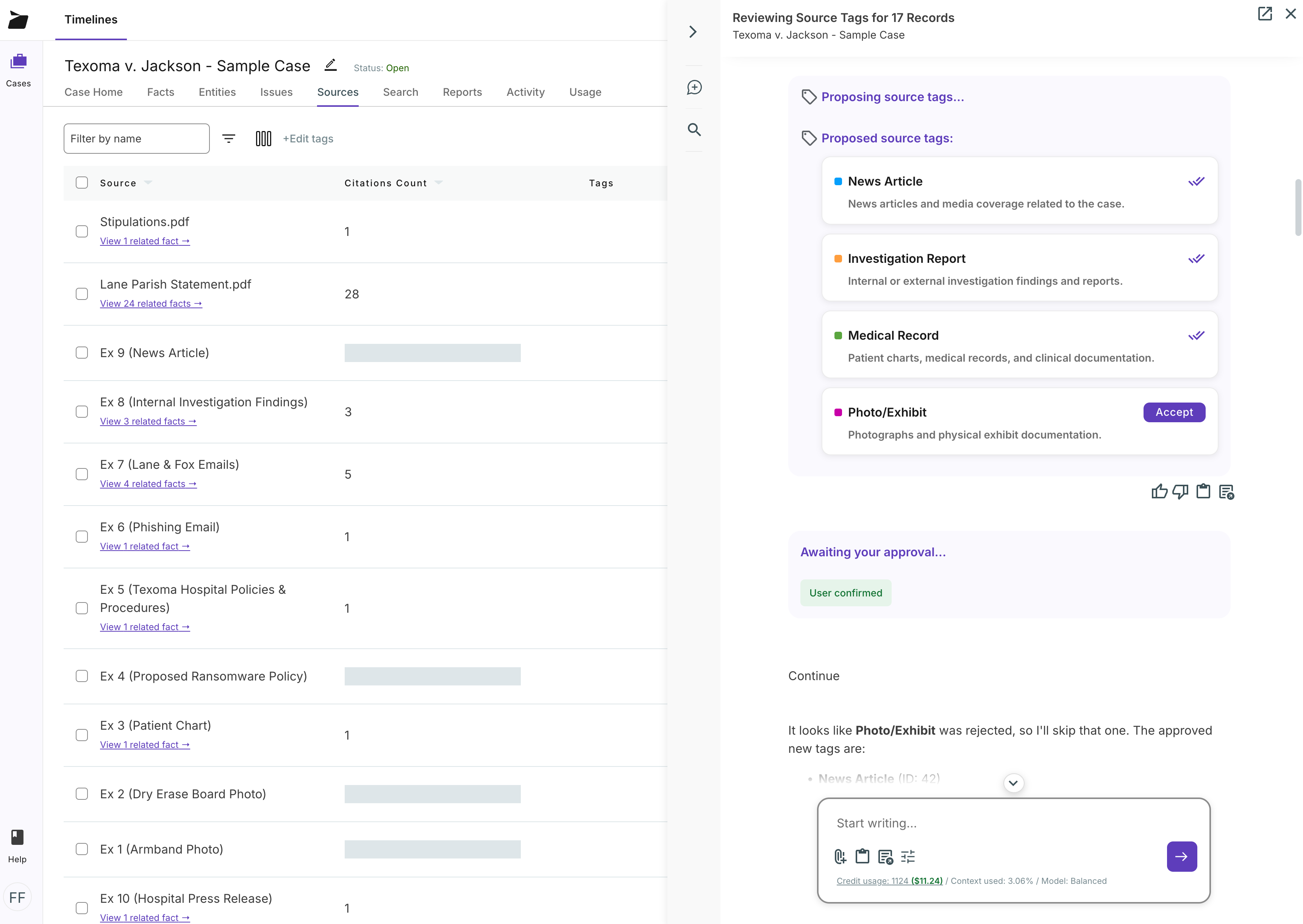
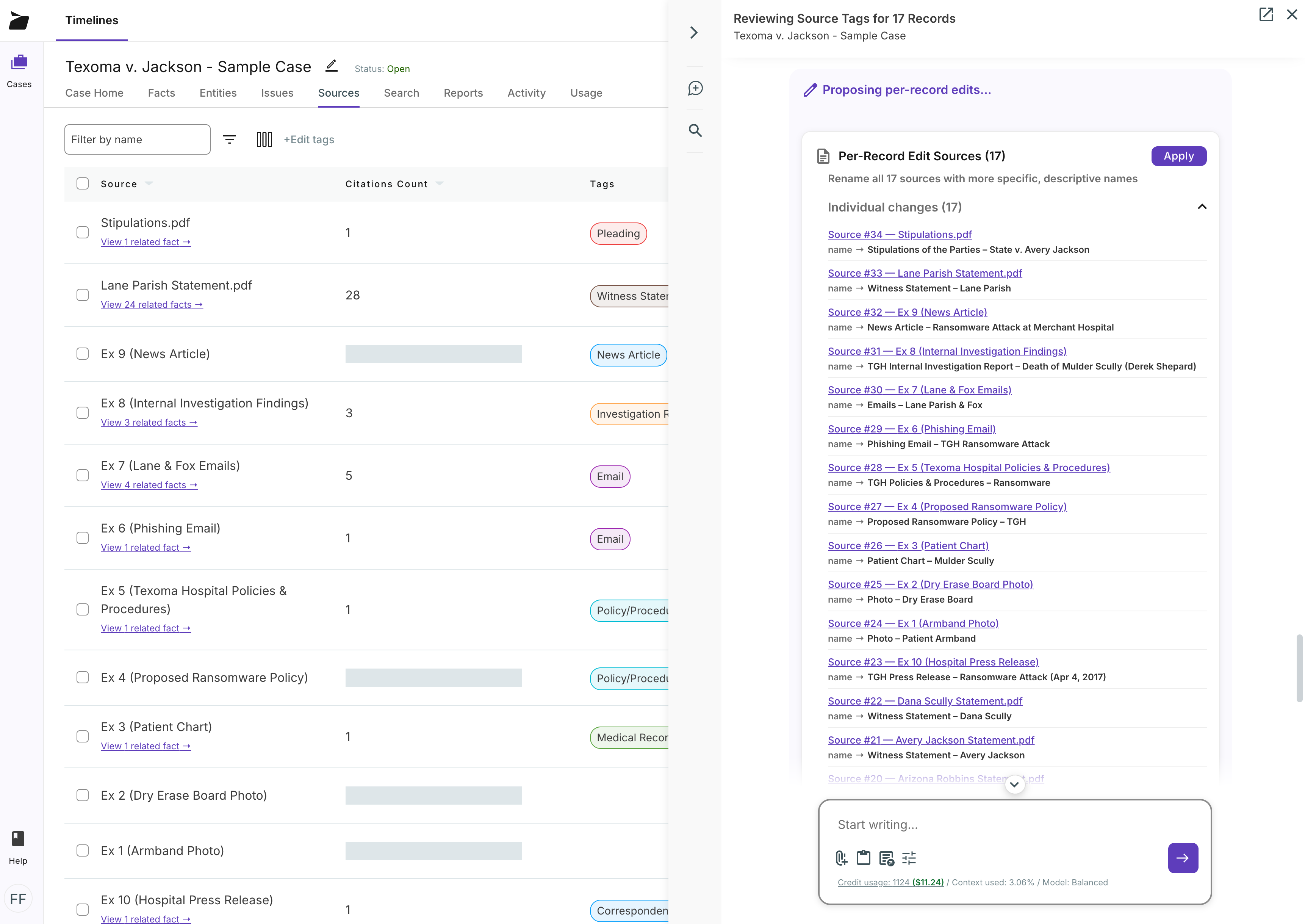
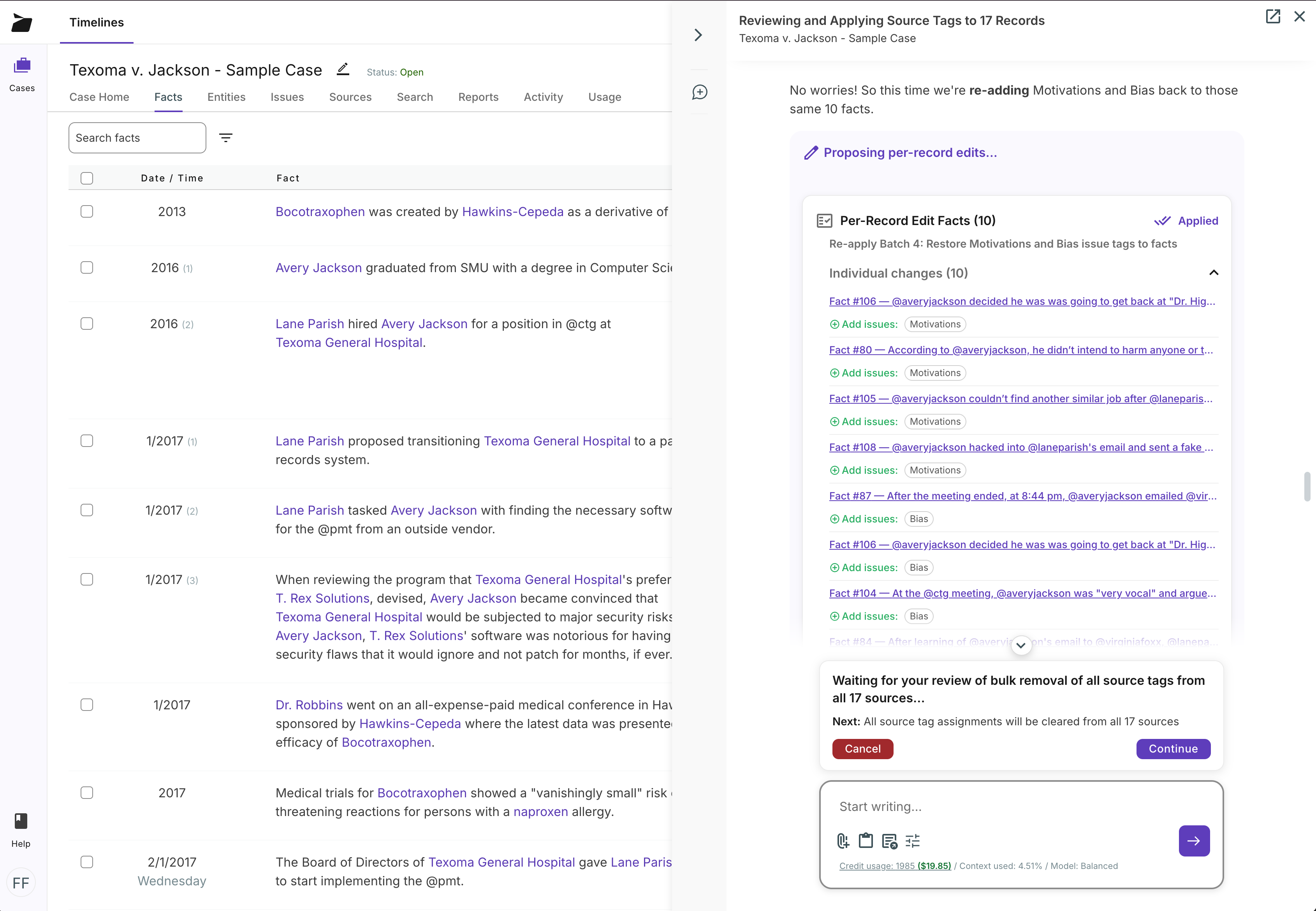
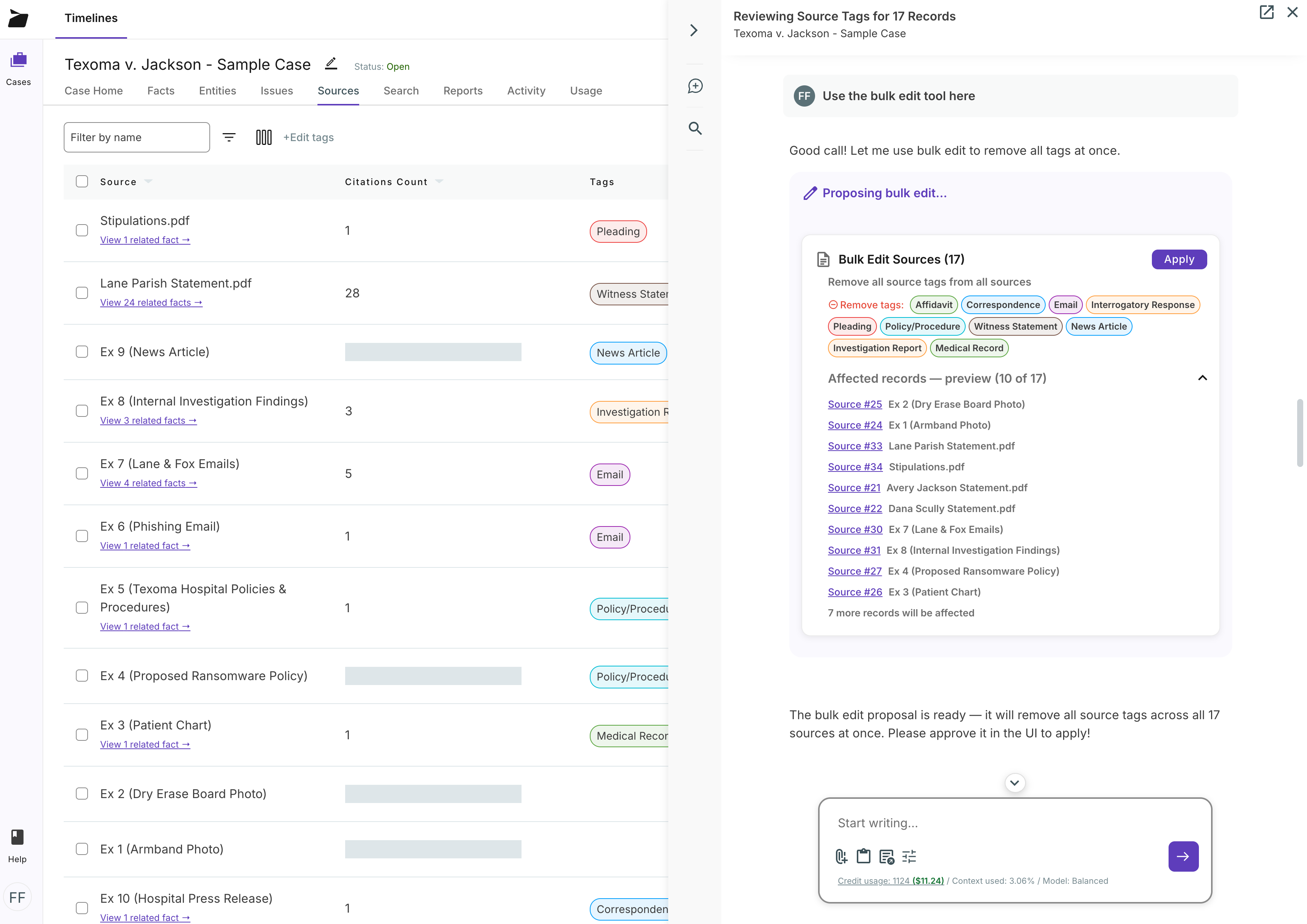
- Document Organization Bulk AI tagging and renaming.
- Proposed Facts Casey drafts facts; you approve them.
Core Platform
- Fact Chronologies Every fact linked to its source.
- Timeline Maker Visual timelines built from your facts.
- Case Outlines Structure issues, arguments, and evidence.
- Full Text Search Search every page of every document.
- Reporting Litigation-ready reports in a click.
- Filtering Slice facts and documents by any criteria.
Documents & Media
-
By Practice Area
By Workflow
- Case Management One workspace from intake to closing.
- Litigation Management Run discovery through trial in one place.
- Investigations Organize interviews, evidence, and findings.
- Cross-Examination Prep Question outlines tied to the evidence.
- Summary Judgment Assemble the facts and cites for your motion.
- Early Case Assessment Size up the evidence before you commit.
Beyond Litigation
- Pricing
-
Learn
- Support
- Login


- Features
- AI-Powered
- Casey AI Assistant
- Agentic Workflows
- Document Intelligence
- Summarization
- Entity Extraction
- Document Organization
- Proposed Facts
- Core Platform
- Fact Chronologies
- Timeline Maker
- Case Outlines
- Full Text Search
- Reporting
- Filtering
- Documents & Media
- Document Review
- Document Management
- Audio & Video Review
- Transcript Management
- Collaboration
- Task Management
- Activity Feed
- Software Security
- Use cases
- By Practice Area
- Employment Law
- Criminal Law
- Personal Injury
- Workers' Comp
- Medical Chronologies
- By Workflow
- Case Management
- Litigation Management
- Investigations
- Cross-Examination Prep
- Summary Judgment
- Early Case Assessment
- Beyond Litigation
- Document Summaries (AI)
- Entity Extraction (AI)
- Document Organization (AI)
- Journalism
- Writing & Plot Development
- Pricing
- Resources
- Support
- Login
Start your 14-day free trial today!
No credit card required. Just enter your work email to get started.
Start your 14-day free trial today!
No credit card required. Just enter your work email to get started.
AI document organization
Stop spending hours manually tagging, renaming, and categorizing case files. Casey, Casefleet's AI assistant, handles document organization in bulk — proposing smart tags, descriptive names, and issue assignments while you stay in control with per-record approval.