


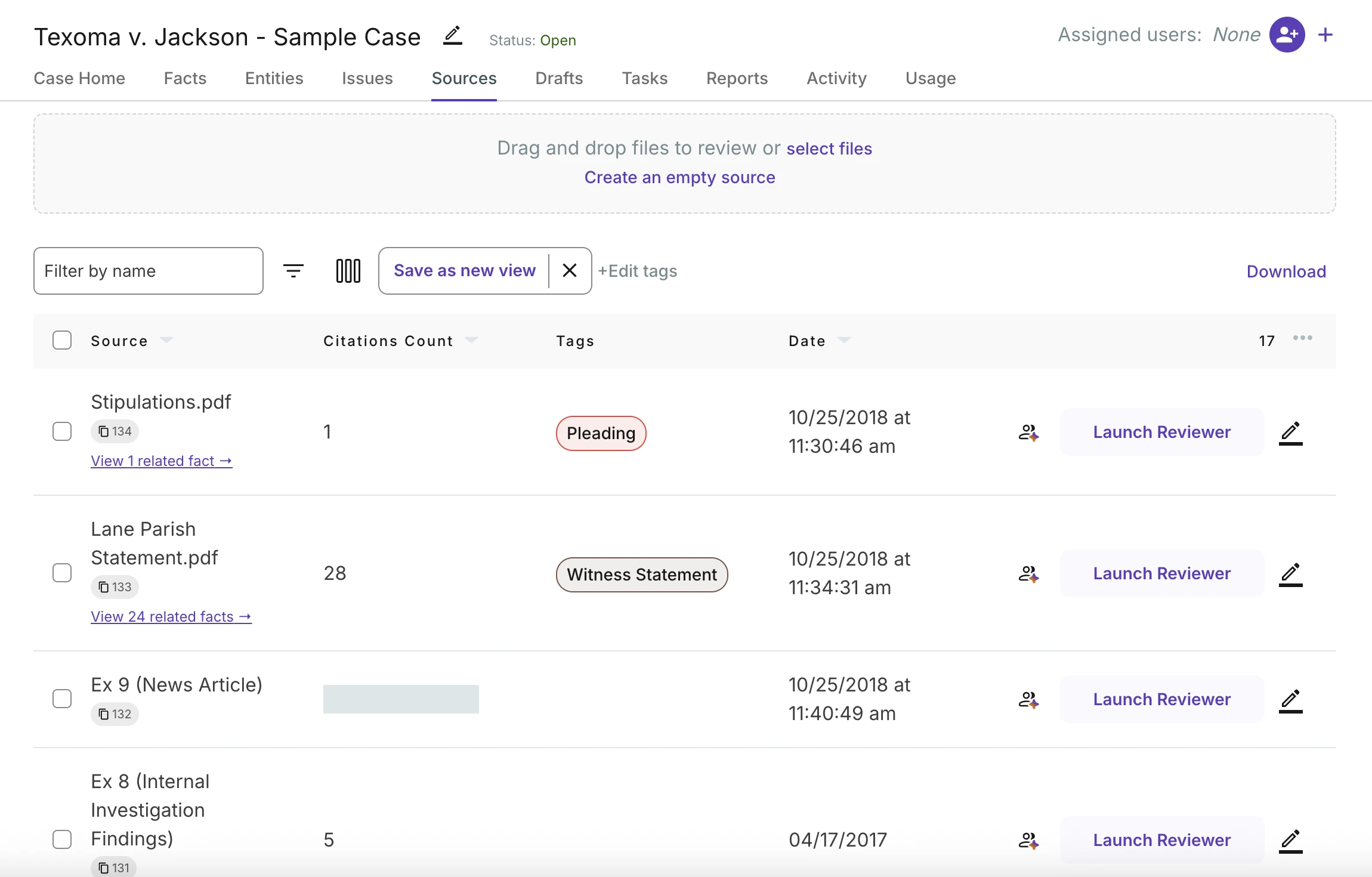
 Before
After
Move your mouse across to compare
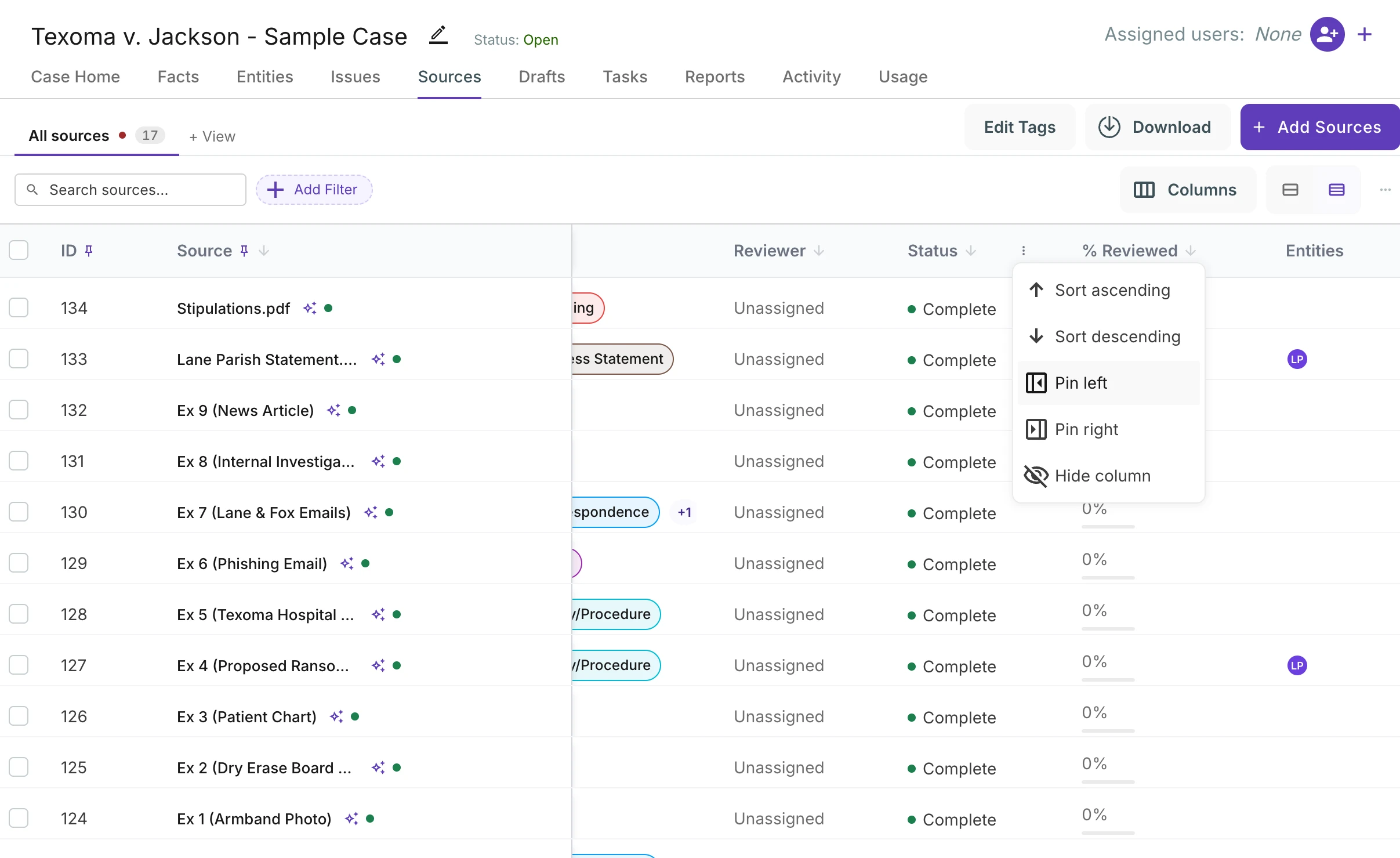
Before
After
Move your mouse across to compare
Casefleet has been helping litigators build cases for a little over ten years now. That is long enough to learn a lot about how people actually work through a case: not the tidy version in a product demo, but the real one, where a case has countless facts, thousands of sources, multiple people working it at once, and a deposition next Tuesday. Over the past year we took everything we learned and rebuilt the core of the app around it. This post is a tour of what changed, and a little bit about why.
A quick word on tables
I cut my teeth building data-heavy applications, and somewhere along the way I developed an unreasonable interest in tables. Tables live inside the software people use all day, and give us high-level overviews of collections of data, some simple, some complex. If you spend your working life inside an application, a table is usually where you spend most of it. When it is fast, dense and customizable to your needs, you stop noticing it and just work. When it is not, every hour has a little friction tax on it. A great table is often the difference between a tool people put up with and a tool people love, and that is the bar we set for this round.
New tables everywhere
Facts, sources, tasks, entities, issues and activity all now run on one shared table. That matters less as a technical detail and more for what it means day to day: every table behaves the same way, and every improvement lands on all of them at once.
The big one is columns. Casefleet has been around for a long time, and in that stretch the underlying technology of the web has changed a lot. Tables of the past had a limited set of capabilities: only so many columns could realistically be shown, and column widths were automatic and often not ideal. Adding support to reorder the columns was a challenge, and resizing even more so, difficult enough that we didn't initially offer it.
The new tables are built on a modern foundation that allows for a much more flexible and powerful column system. Show the ones you need, hide the ones you don't, and resize and reorder them directly from the column header. Pin the most important ones to the left, and scroll the rest of the table horizontally. The table can save your choices, so you can set it up once and get to work!
Better filters
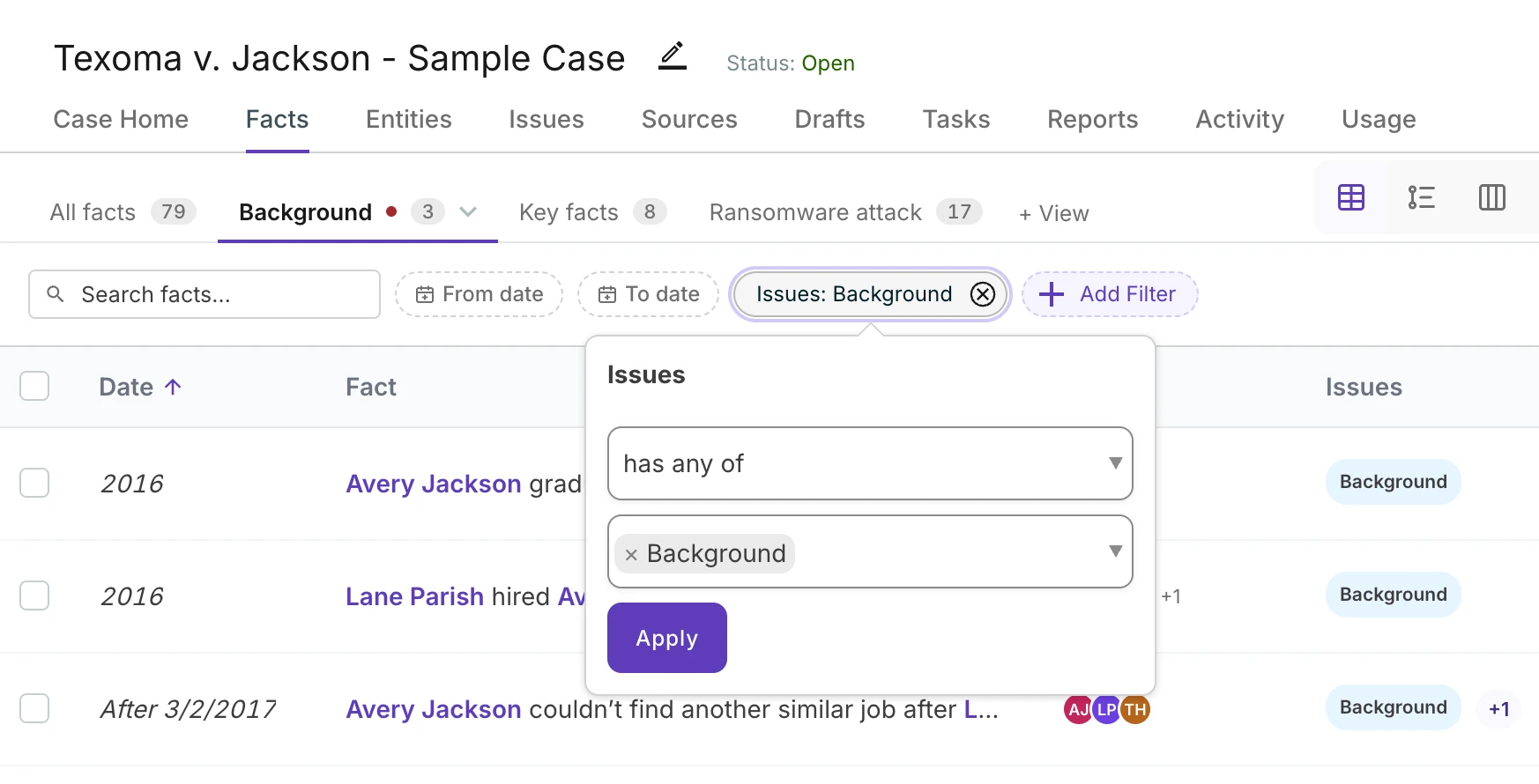
The same powerful filtering system is here in Casefleet, but it is now more visible and easier to use. Filters are now shown as pills above the table, so you can see at a glance what is being filtered. Add a filter for a witness, and the table shows only facts from that witness. Add another for an issue, and it narrows to the facts tagged to that issue. Remove one, and the table expands again. It is fast, intuitive, and works across all of the tables in Casefleet.
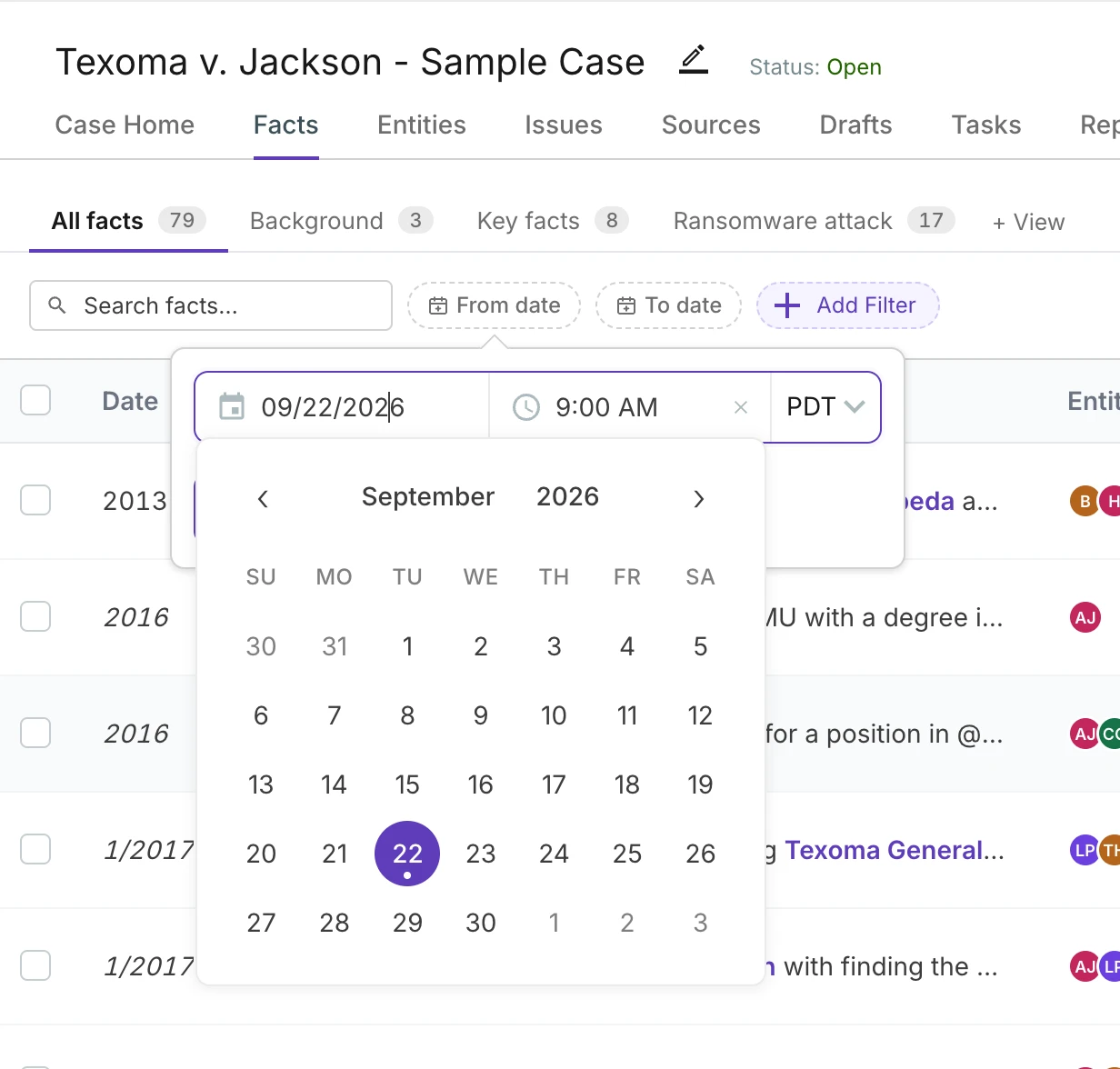
Dates got particular attention, because dates in litigation are rarely just dates. A fact happened at a specific moment. A task is due at a time. So date filters can take a time now, down to the minute, with an explicit time zone. Leave the time off and a filter means the whole day, the way you would expect. Add it, and you can ask for everything uploaded after 4:30pm on the day before a filing deadline and get exactly that.
Views: save the table you built
Once you have the right columns, filters, sort and density, you probably want it again tomorrow. Views save all of that as a tab across the top of the table. Keep an "All facts" tab, a "Key facts" tab that only shows facts tagged to your strongest issue, a "Needs review" tab on sources, and switch between them with one click. Views work on nearly every table, and they are shared with the rest of the team on the case, so everyone is looking at the same slice.
A vertical timeline
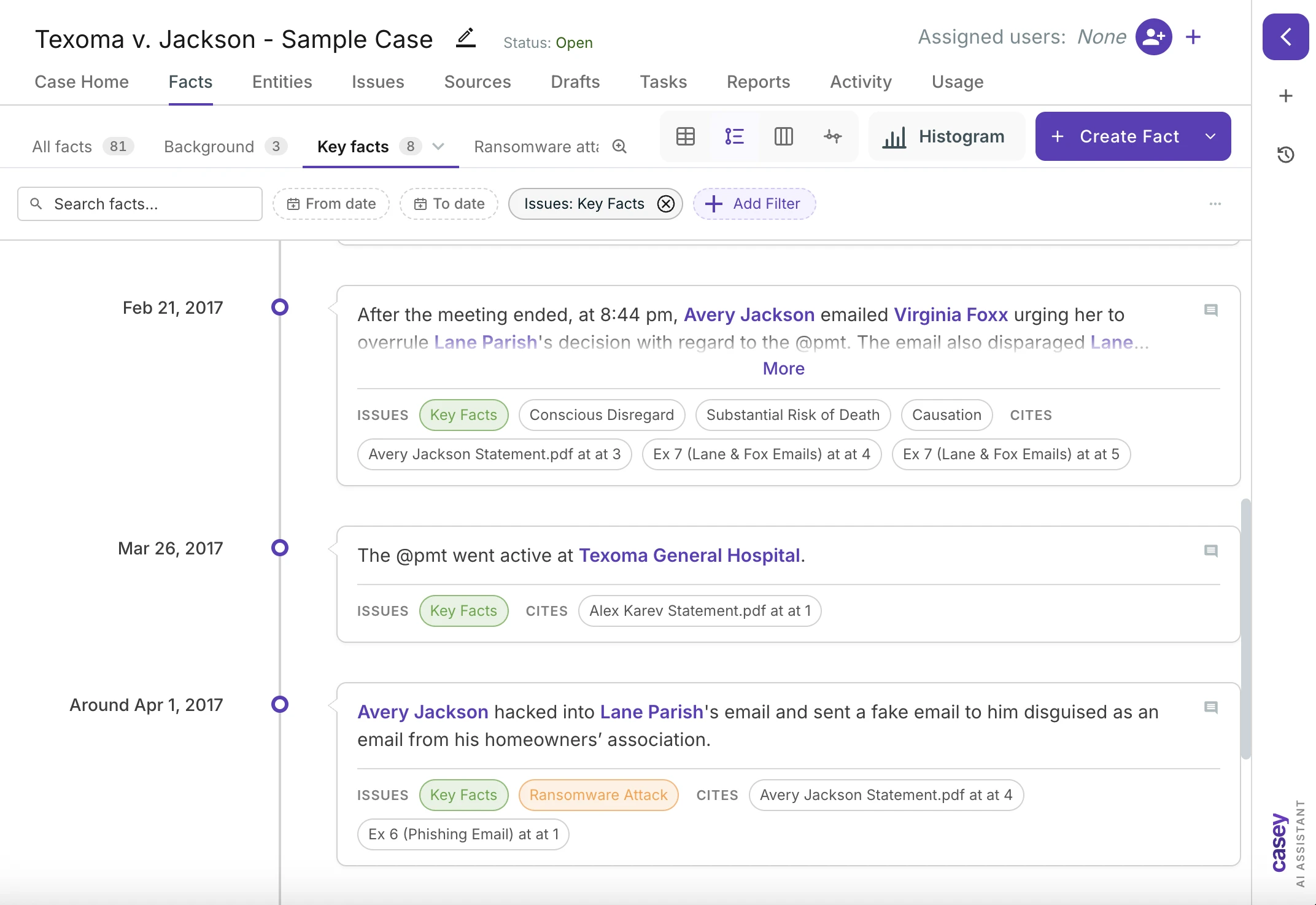
Tables are great for working; timelines are great for visualizing. The new vertical timeline lays your facts out top to bottom along a real time axis. It uses the same filters and views as the table, so you can narrow to one witness or one issue and read the story straight down the page. It is a nice way to prep for a deposition, and an even nicer way to notice the three-week gap nobody has explained yet.
Comments, right on the fact
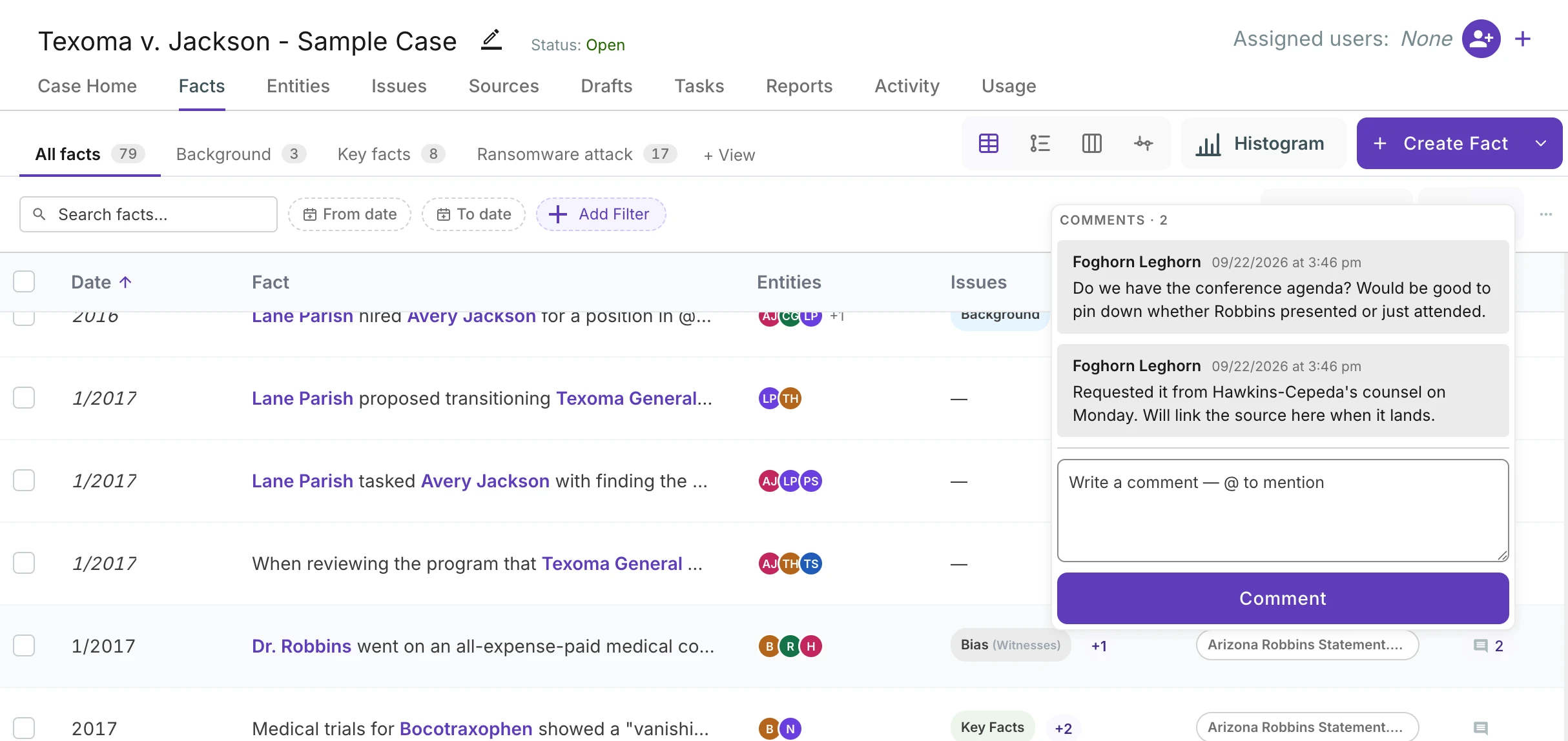
Working a case is a conversation. Comments now live inline on each fact, in both the table and the timeline, so a question about a fact stays with the fact instead of in an email thread somewhere. Leave a note for a colleague, get an answer, and the whole exchange is right there the next time anyone opens that row.
Denser when you want it
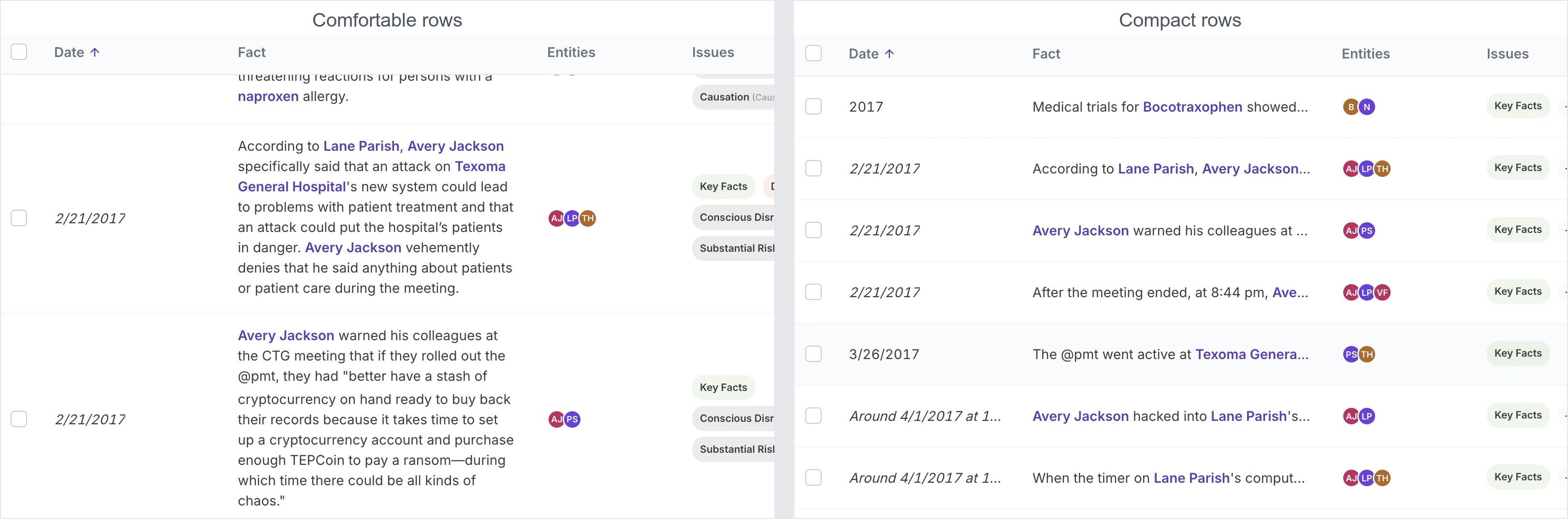
Facts and sources both have a compact mode now. It trims the padding, tightens the rows and lets you see a lot more of the case on one screen: the same stretch of the facts table below fits two facts in the comfortable layout and seven in compact. If you are the kind of person who runs a small font and a big monitor, this one is for you. If you prefer some air, the comfortable layout is a click away and the table remembers which you picked.
Timelines side by side
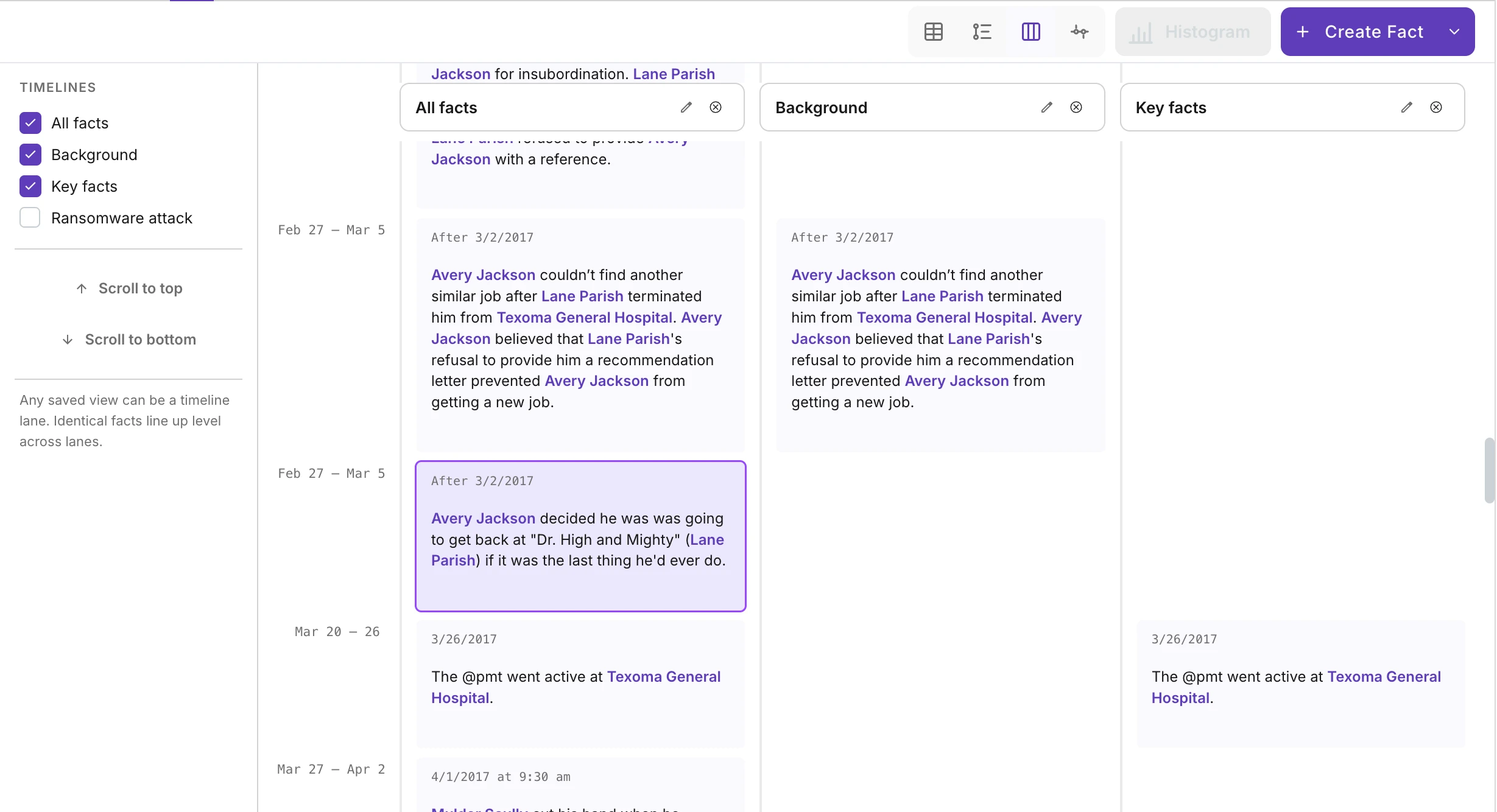
This is the one I am most excited about. Take two or more of your saved views and put them next to each other as lanes on one timeline. Plaintiff's account in one lane, defendant's in the next, the documentary record in a third. Facts line up by date across the lanes, so you can see where the stories agree, where they diverge, and where one side simply has nothing to say. It turns out that a lot of case strategy is just noticing which lane is empty.
Meeting you where you are
None of this changes what Casefleet is for. It is still a place to put every fact and every piece of evidence in a case and connect them. What changed is how many ways you can look at that evidence, and how little the tool gets in the way while you do. Some people want one enormous table. Some want a timeline they can read like a brief. Some want three timelines glaring at each other. The new core is built so that all of those are the same data, one click apart.
The new tables and views are rolling out to accounts now. If you have been on Casefleet for a while, you will see a "Preview new UI" / "Switch to classic UI" toggle at the top of the page for a bit while you get your bearings. We're hoping to make this the permanent view soon, so give it a whirl, explore the new features, and if you hit any snags, let us know right away. If you are new, welcome. Pull up a case, open the facts table, and add a few columns. That is where it starts.